Link Peak Usage Reports
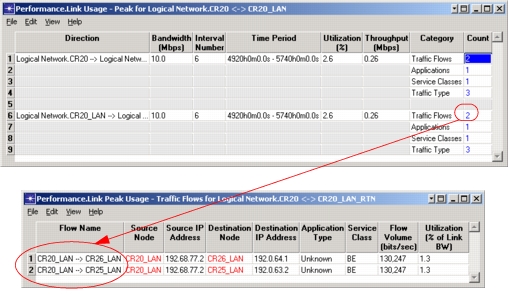
Link peak usage reports let you view utilization and throughput information for a link. Link peak usage reports show you the highest utilization attained on the link during a flow analysis or discrete event simulation. Link peak usage reports consider the traffic from traffic flows, link loads, and PVCs; application traffic and other types of explicit traffic are not considered.
To enable report creation for discrete event simulation, you need to set the Link Usage Report simulation attribute to Peak Usage For All Links. By default, this attribute is disabled.
Link peak usage reports are accessible from a link's object pop-up menu, which appears when you right-click on the link. Two menu options are available: one for flow analysis results another for discrete event simulation results.
Figure 152: Link Peak Usage Report