Network Inventory Summary Report
After an import, and on a periodic basis, you may want to see how many devices are in your network and of what type. If you have a rather small imported network model, it is a simple task to visually gather this information. For larger networks, however, it is a time-consuming, error-prone task to take inventory.
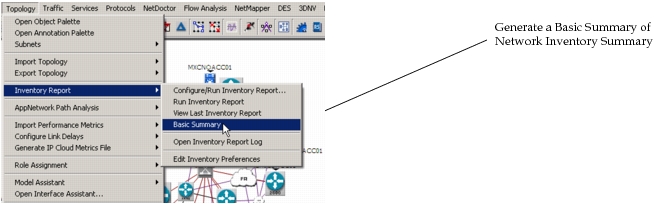
The Network Inventory Summary report is available at any time after an import. Running a Network Inventory Summary report after an incremental import allows you to keep your inventory files up-to-date. The following figure shows that there are two ways to generate the report: through the drop-down menus or through the toolbar.
Figure 52: Generating a Network Inventory Summary
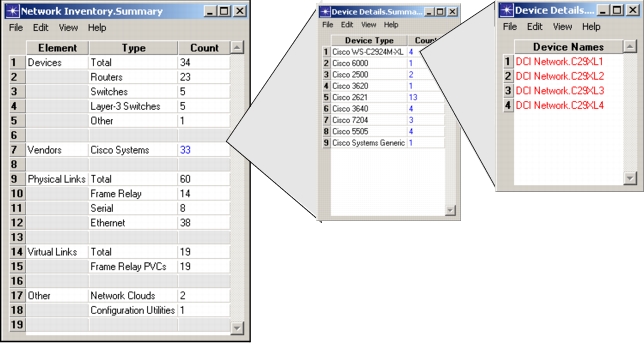
An example of a Network Inventory Summary report is shown in Figure 53.
The summary includes:
- Devices – A total count of devices, and a breakdown by device type
- Vendors – A count by vendor
- Physical Links – A total count of physical links, and a breakdown by type
- Virtual Links – A total count of virtual links, and a breakdown by type
- Other – A total count of other types of devices in the model, including network clouds, application models, configuration utilities, etc.
Key Concept—For information about generating a more comprehensive Inventory Report in a web format, see “Introduction to Inventory Reports“ in the NetPlanner User Guide.
If a count listing is in blue text, there are further actions you can take. In the example shown in Figure 53, certain counts are in blue text. To drill down even further, you can click on any number in blue. In the example below, we can go two levels deep to see the four Cisco WS-C2924M-XL switches listed.
Figure 53: Network Inventory Summary
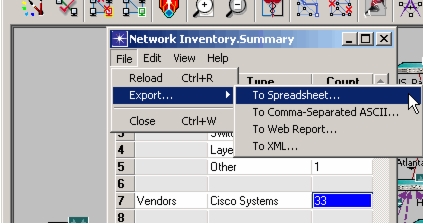
At any point in the summary, you can export the report to any of the following file types:
- Spreadsheet (for example, MS-Excel)
- Comma-Separated ASCII
- Web Report
- XML
Figure 54: Export Network Inventory Summary
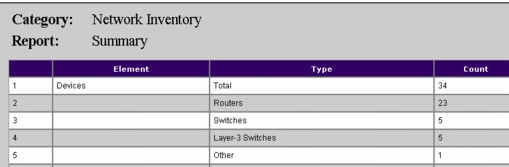
Exporting the report makes it easier to use the information for analysis, management reporting, and other requirements. The following figure shows an example of this Network Inventory Summary report exported to a web report format.
Figure 55: Export to a Web Report