Viewing Performance Analysis Web Reports
The Launch Last Report operation opens the most recently generated Performance Analysis web report.
Procedure 163: Viewing a Performance Analysis Web Report
-
Choose DES > Reports > Performance Analysis Web Report > Launch Last Report.
The most recently generated report opens in your web browser.
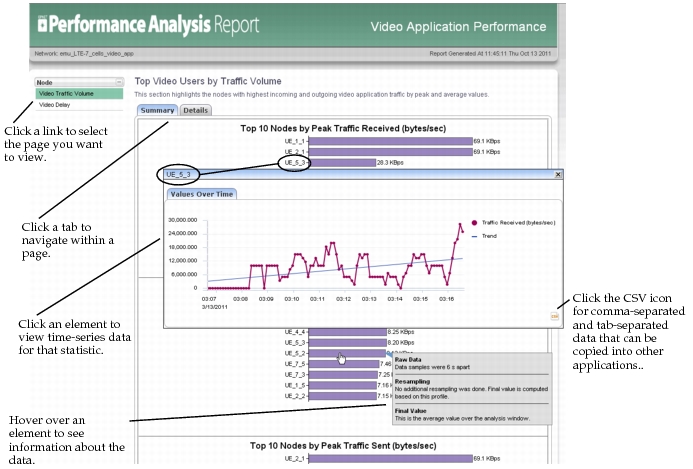
To open a previously generated Performance Analysis web report, go to the directory in which they were created (a scenario-specific subdirectory of the location specified by the “reports_dir” preference) and open the desired report in a browser.