Packet Format Editor
Packet formats define the internal structure of packets as a set of fields. For each field, the packet format specifies a unique name, a data type, a default value, a size in bits, an encoding style, a conversion method, and optional comments. Packet formats are referenced as attributes of transmitter and receiver modules within node models, in calls to Kernel Procedures, and by the Declare Packet Formats operation in the File menu of the Process Editor.
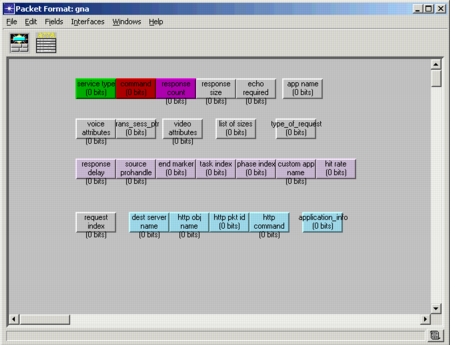
A packet format contains one or more fields, represented in the graphical environment as a set of colored, rectangular boxes. The size of the box is proportional to the number of bits specified in the “size” attribute.
Figure 221: Packet Format
Right-click on a packet field to open the Attributes dialog box for that field. In addition to attributes, the dialog box contains buttons that allow you to add comments to the packet field and edit the conversion method assigned to the field.
In general, fields can be placed in any order and can be dragged from one row to another as you like. Order does not matter because packet formats are typically referenced by the field name. However, if your model references packet fields by index, changing the graphic representation makes a big difference. Riverbed assigns an index of 0 to the top left field (in Figure 221, “service type” has an index of 0) and the highest index to the bottom right field (in Figure 221, “application_info” has an index of 23).