Find Node/Link…
This operation finds nodes, subnetworks and links by searching for names containing a specified string.
Procedure 36: Finding a Node, Subnetwork, or Link
-
Choose Edit > Find Node/Link…
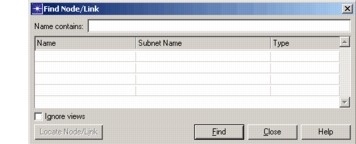
Result: The Find Node/Link dialog box appears.
-
Type a string of characters in the Name field and click Find All.
Result: The dialog box lists all nodes and links whose name contains the string. All found objects are selected in the Project Editor window.
-
Left-click a name from the list to select it, then click Find.
Result: The Project Editor places the selected object in the center of the window. All other objects are deselected.