Clear Model
This operation removes the currently displayed model from the editor window. It does not delete the model from disk.
Procedure 32: Clearing a Model from the Editor Window
-
Choose Edit > Clear Model.
Result: If there have been no changes to the currently active model since it was last saved, the model is erased from the editor window. If there have been changes, a Confirm dialog box appears.
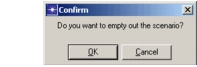
- If you want to save the model before clearing it, click Cancel and then use the Save operation.
- If you want to clear the model without saving it, click OK or press
<Return>.