Show Bird’s-Eye View
You can quickly focus and adjust the zoom level of the Project Editor using the Network Bird’s Eye View.
The Bird’s-Eye View window is useful for
- Specifying a desirable zoom level
- Finding areas of interest in subnets with many objects or with a lot of unoccupied space
- Drilling down into multiple nested subnets.
There are two types of Bird’s-eye View windows:
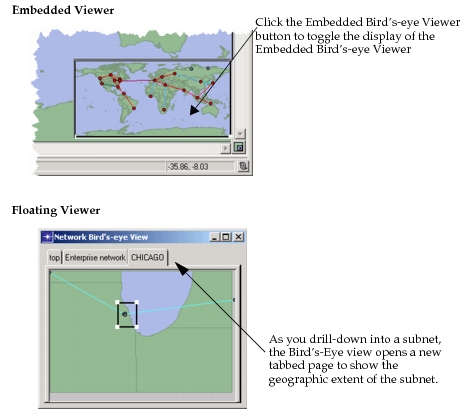
- Embedded – Click the Embedded Bird’s-eye Viewer button to toggle display of the window
- Floating – Choose View > Show Bird’s-eye View
The following figure shows both types Bird’s-eye Views.
Figure 46: Bird’s-Eye Views: Embedded and Floating
Note: The birds-eye viewer is intended to be used in geographic subnets (with fixed bounds) and not with logical subnets (which are boundless).