Troubleshooting a Baseline Load Import
This section describes common problems relating to baseline-load imports and identifies possible solutions:
-
File parsing errors – If the import engine reports that it could not parse a file, the most likely reason is that an error occurred when creating the data file. In this case, do the following:
- Read the relevant section in the documentation about special requirements and procedures for the type of data you want to import (see “How do I import traffic into my network?“ on page 5)
- Search the Knowledge Base for any relevant information about the type of data you want to import. Riverbed Support maintains a knowledge base that answers common questions and issues involving baseline load imports. See Searching the Riverbed Knowledge Base.
-
Unrecognized interfaces – The Import Log might report that NetPlanner could not import some data because it could not match this data to interfaces in your network. The solution in this case is to map the data explicitly. You can do this by creating interface aliases on the relevant links and nodes in your network. After you create the new aliases, re-import the data.
You might find that some of this data is irrelevant to your simulation studies; in this case, you can ignore the irrelevant data.
Searching the Riverbed Knowledge Base
Procedure 12: Searching the Riverbed Knowledge Base
-
Direct your web browser to the Knowledge Base at https://supportkb.riverbed.com and login with your credentials.
-
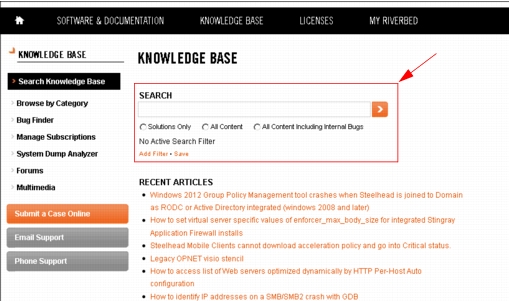
Enter search terms in the Search box, highlighted below.
Figure 28: Riverbed Knowledge Base Searches
- Search for the string "baseline load imports".
- Search for the name of the product or format you want to import (for example, “.tr2” or “nGenius”).
For more information, see Viewing and Managing Traffic Flows and Baseline Link Loads.