Text Edit Pads
Text edit pads display information about objects in an editor window, convey diagnostic messages, and allow you to enter information to complete an operation. Text edit pads also function as general-purpose text file editors and allow text export for editing outside of the program.
Functionally, text edit pads resemble the text editors in most workstation window systems. They allow you to scroll through text; enter and delete characters; cut, copy, clear, and paste selections; and read and write ASCII files. You can move and resize text edit pads using the same techniques as for windows.
Figure 4: Text Edit Pad
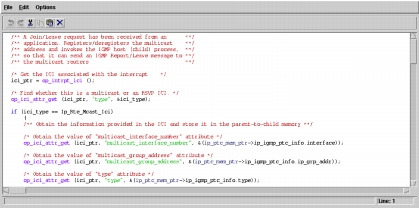
Text edit pads are large rectangular editing areas with scroll bars for accessing all regions of the pad. There is no limit on the number of lines. Options in the File and Edit menus allow various operations; buttons allow fast access to the most-commonly performed operations. Depending on the type of pad (view only or text entry), some operations may not be active. The line number is shown in the lower right corner of the text edit pad.
You can use external text editing programs (such as vi and emacs) instead of the text edit pads. The preferences "editor_keep" and "editor_prog" support this capability.
The following sections describe the operations available on each text edit pad menu: