Object Palettes
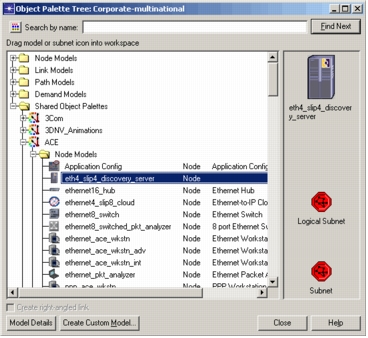
Use object palettes to define network objects (including subnets, nodes, links, paths, and demands) in your project. The following figure shows a typical object palette.
Figure 3: Typical Object Palette
Procedure 7: Placing a Network Object in the Workspace
-
Choose Topology > Open Object Palette.
Result: The Object Palette opens.
-
Find the network object that you want to add to the project.
-
Drag the network object to the editor workspace.
-
Optionally, place multiple instances of the network object by moving the mouse pointer to a new location and clicking.
-
Right-click to stop placing instances of the object.