Node Editor
The Node Editor is used to specify the structure of device models. These device models can be instantiated as node objects in the Network Domain (such as computers, packet switches, and bridges). In addition to the structure, the node model developer defines the interface of a node model, which determines what aspects of the node model are visible to its user. This includes the attributes and statistics of the node model. This section summarizes the objects used in the Node Editor and the operations that it provides.
Node Editor Objects
Nodes are composed of several different types of objects called modules. At the node level, modules are black boxes with attributes that can be configured to control their behavior. Each one represents particular functions of the node’s operation and they can be active concurrently. Several types of connections support flow of data between the modules within a node. The objects used to build node models are listed in the following table.
Table 11: Node Model Objects
| Object Type | Definition | Default Representation |
|---|---|---|
| Processor | General purpose, programmable object whose behavior is specified by a process model. |  |
| Queue | General-purpose and programmable like a processor, but also provides internal packet queuing facilities consisting of a bank of subqueues. Subqueues are ordered lists of packets. |  |
| Transmitter | Allows packets to be sent outside of the node’s boundary via attached links. Two types of transmitters correspond to supported link types: point-to-point and bus. |  |
| Receiver | Allows packets to be received from other nodes via attached links. Two types of receivers correspond to supported link types: point-to-point and bus. |  |
| Packet Stream | Connects an output stream of a source module to the input stream of a destination module, allowing packets to be communicated and buffered between them. | 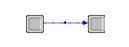 |
| Statistic Wire | Connects an output statistic of a source module to the input statistic of a destination module, allowing numerical data to be communicated. Optional active notification of value changes via interrupts at the destination module. | 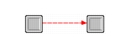 |
| Logical Association | Indicates a coupling between two modules. Currently supported for appropriate transmitter-receiver pairs only to specify that they be kept together when attaching the node to a link. | 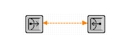 |
| Esys Module | General-purpose and programmable like processors and queues, but can also specify an ESD model that defines the behavior of the module. Contains both a process model and an external system definition (ESD). |  |
Node Editor Operations
The Node Editor provides operations to support the creation and editing of node models. Operations related to major capabilities are listed in the following table.
Table 12: Node Editor Operations
| Operation¹ | Description |
|---|---|
| Create object | Individual operations are provided to support the graphical creation of each type of object listed in the previous table. |
| Edit object | Right-click on an object to view or modify its attributes. Changes made to one object can optionally be applied to an entire set of selected objects. |
| Edit model attributes | Attributes that characterize the node as a whole (as opposed to a particular object within it) can be associated with the node model. These attributes automatically appear in the node model’s interface. |
| Edit model attribute interfaces | The attribute interface of a node model defines the attributes that a user of the node model has access to. It also defines how they are presented, value constraints and choices, documentation, default values, and several other properties. This operation allows you to hide attributes that should not appear in the model’s interface. |
| Promote node statistics | Statistics associated with modules can be promoted to the level of the node model, which means that they become associated with the node as a whole. This is useful to rename statistics and to hide underlying node model structure. |
- Operation names are not exact and may refer to several actual operations as a group.
For a complete listing of operations and an in-depth explanation of their usage, see “Node Editor”.