Project Editor
The Project Editor is used to construct and edit the topology of a communication network model. It also provides basic simulation and analysis capabilities. The Network Domain in which the Project Editor works is the highest modeling level, in the sense that it encompasses objects that are defined in the other modeling domains. The network model therefore specifies the entire system to be simulated. This section summarizes the objects used in the Project Editor and the operations that it provides.
Project Editor Objects
A network model contains only three fundamental types of objects: subnetworks, nodes, and links. There are several varieties of nodes and links, each offering different basic capabilities. In addition, each node or link is further specialized by its model, which determines its functions and behavior. The following table lists the types of objects used to build network models.
Table 9: Network Model Objects
| Object Type | Definition | Default Representation |
|---|---|---|
| Fixed subnetwork | A container for additional network objects, including other subnetworks. Subnets can be nested to any depth to model complex hierarchical networks. |  |
| Fixed node | A network terminal or device, usually with the ability to communicate to other nodes. Can have a wide range of capabilities, as determined by its model. Cannot change geographical positions over time. |  |
| Simplex point-to-point link | Supports a unidirectional flow of packets between two fixed nodes. | 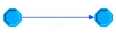 |
| Duplex point-to-point link | Supports a bidirectional flow of packets between two fixed nodes. | 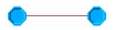 |
| Bus link | Provides broadcast connectivity for a set of fixed nodes. Nodes may transmit packets onto the bus, receive packets from the bus, or both. | 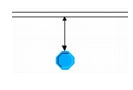 |
| Bus tap | Attaches fixed nodes to a bus link. |
Project Editor Operations
The Project Editor provides operations to support the creation, editing, and verification of network models. Operations related to major capabilities are listed in the following table.
For a complete listing of operations and an in-depth explanation of their use, see “Project Editor”.
Figure 15: Project Editor Object Palette
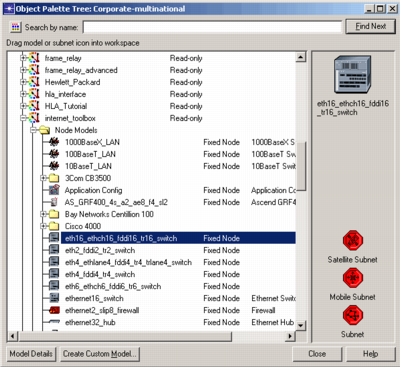
Table 10: Project Editor Operations
| Operation¹ | Description |
|---|---|
| Create objects | Individual subnetwork, node, and link objects can be created by dragging and dropping them from a palette (see figure above). Multiple palettes can be open and each can be configured to show only certain models, based on a keyword search. |
| Import topology and traffic | Use information from sources such as NetCollector to automatically build a network model and set conversation pair traffic and link loads. |
| Rapid configuration | Supports creation of common configurations of nodes and links, including star, bus, ring, mesh, tree, and others. Parameters control models of nodes and links, graphical and geographical placement, number of objects, etc. |
| Edit object | Right-click on an object to view or modify its attributes. Changes made to one object can optionally be applied to an entire set of selected objects. |
| Find object | Certain operations, including editing attributes, moving, copying, and deleting, can apply to a set of selected objects, instead of just one object at a time. Objects can be selected manually by clicking on them, automatically by searching on their names, or logically based their attribute values. |
| Verify links | Verifies that links are connected correctly for their node and link characteristics. |
| Navigate networks | Allows viewing of different subnetwork contexts by moving up or down in the network hierarchy. |
| Select map | Displays the selected map, cropped to the borders of the current subnetwork. Maps are provided with Modeler and are based on the CIA World Data Bank. |
| Collect results | Specify the statistics to be collected and run simulations. |
| View results | Specify which statistics to plot, graph characteristics, and calculations to be performed. |
- Operation names are not exact and may refer to several actual operations as a group.