Creating Traffic Flows
Creating a traffic flow is a two-step process:
- Create a flow object that connects the source and destination nodes, as described in Creating a Traffic Flow.
- Specify the amount of traffic intensity for the flow, as specified in Specifying Traffic for a Flow.
Creating a Traffic Flow
Procedure 3: Creating a Traffic Flow Object
-
If necessary, open an object palette and configure it with the flow models you want.
-
Select a model in the object palette by clicking on it. (See Creating Traffic Flows and Profiles for more information on the various demand types available).
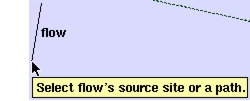
The cursor changes appearance to indicate that you are in flow-creation mode.
-
Click on the source node of the traffic flow.
-
If you want to include a path object in your flow definition, click on the path.
-
Click on the destination node of the traffic flow.
A new traffic flow is created. By default, a blue dotted arrow is used to represent the traffic direction of the traffic.
-
(Required-path flows only): If there is no path in your flow, you must include one now. Click on the path object to complete the flow definition.
Note: When you finish defining a flow, you are still in flow-definition mode. You can create another flow (based on the same underlying model) by repeating the previous steps. To exit flow-definition mode, right-click and choose Abort Flow Definition from the pop-up menu.
After you define the flow, you can specify the traffic levels associated with the flow object, as described in Specifying Traffic for a Flow.
After defining the flow, you can specify the traffic levels associated with the flow object, as described in Specifying Traffic for a Flow.