Configuring Application Demands
Application demands are configured by editing the attributes of the demand.
- If you used the Protocols menu operation to create the demand, this configuration was done when you created the demands. You can view or change the configuration by editing each demand’s attributes.
- If you created the demand by dragging-and-dropping the demand from the object palette, you need to edit the attributes of the demand so that it generates the desired amount of traffic.
The attributes of the application demand are listed in Table 3.
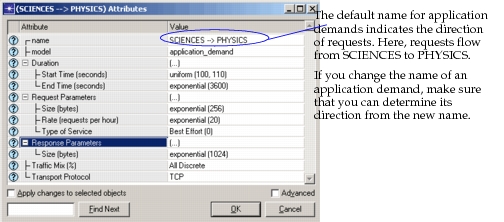
The following figure shows the Attributes dialog box for a demand. Note that it has the same parameters as the Create Application Demands dialog box (Figure 2), which is used to set up multiple application demands.
Figure 3: The Attributes Dialog Box for a Demand