Text Reports
Text reports give you a detailed description of your model, supplementing the graphic representation you see in a model editor. For a detailed description of a network topology, use the Export Network to Spreadsheet operation in the Project Editor, as described in Export Network to Spreadsheet. For similarly-detailed information on a process model, packet format or ICI model, use the Generate Text Report operation.
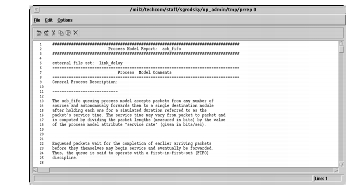
This operation opens a text edit pad that can be printed or saved to disk. The content of the report varies by model type. The procedure for generating, printing, or exporting a report is exactly the same in each editor.
Procedure 59: Generating a Model Report
-
Open the desired model.
-
Choose Generate Text Report from the File menu.
Result: The report displays in a text edit pad.
-
To print the report, choose Print… from the text edit pad’s File menu. To save the report to disk, choose File > Export…
For more information, see “User Interface” on page 1.