VPN Manager
When the firewall has the VPN option, a VPN Manager tab appears in the Check Point console, as shown in Figure 115. With the options available on this tab, firewall administrators can create VPN communities, which are groups of network entities that will communicate through VPNs.
Figure 115: VPN Manager
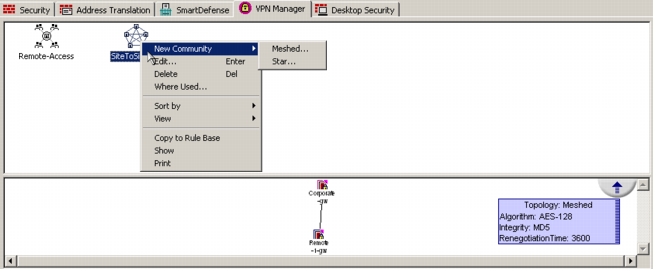
Two types of VPN communities are supported:
- Meshed
- Star
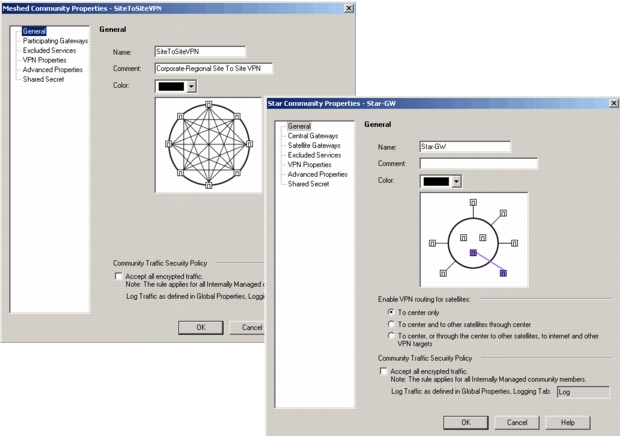
Each type of VPN community has a set of properties that are configured on the firewall, as shown in the following figure.
Figure 116: VPN Community Properties
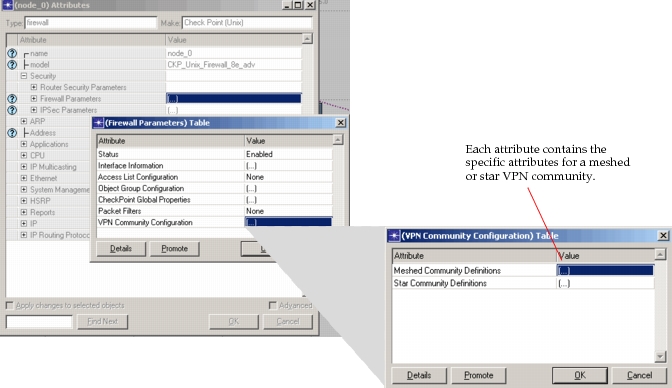
For each of these types of VPN communities, attributes are mapped during import. All properties and values that are configured on the firewall are imported into the Security > Firewall Parameters > VPN‘ Community Configuration table, shown in the following figure.
Figure 117: VPN Community Attributes
Note: The star VPN community property, “Shared Secrets for External Members,” is not supported.
Gateway VPN Configuration
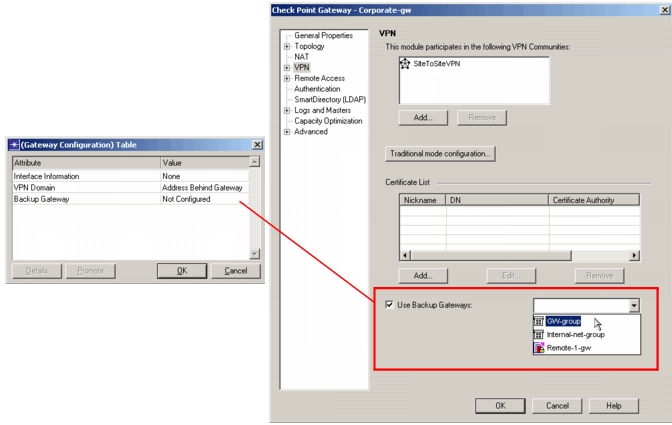
VPN configurations from gateway nodes on Check Point firewalls are mapped to the Object Group Configuration compound attribute. On the firewall, entries from the gateway Topology and VPN properties are mapped to the compound attribute Security > Firewall Parameters > Object Group Configuration > Gateway, as shown in Figure 118 and Figure 119.
Figure 118: Check Point Gateway Topology
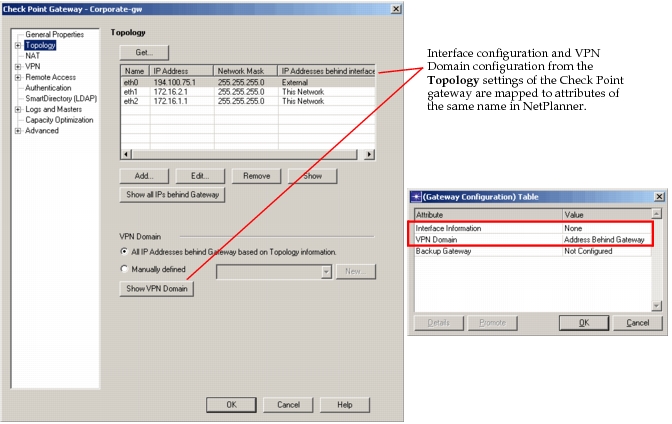
Figure 119: Check Point Backup Gateway Configuration