Address Translation Rule Base
In addition to the global NAT properties, the administrator configures automatic or manual NAT rules on the firewall.
- Automatic NAT rules are created when the administrator edits the properties of a network object, as shown in Figure 113, and configures either Hide or Static NAT. Rules automatically appear in the Address Translation rule base when Automatic NAT is enabled and can only be edited through the network object.
- Manual NAT rules are configured directly in the Address Translation rule base.
Figure 113: FireWall-1 Address Translation on Object Group
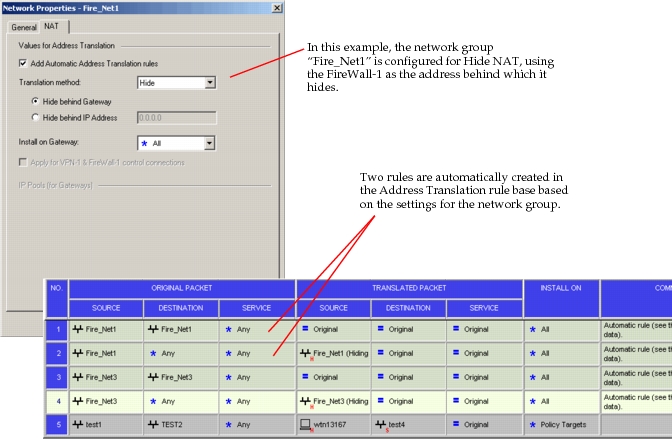
Translation rules on network group objects in FireWall-1 are mapped to translation tables in NetPlanner under IP > NAT Parameters > Translation Configuration.
Figure 114: Translation Table for Static NAT
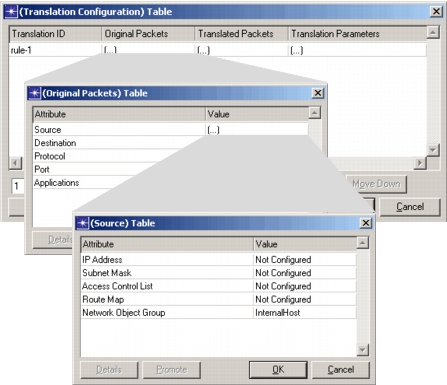
Address translation rules are mapped in a one-to-one manner. Rule numbers in the translation configuration tables shown in Figure 102 match rule numbers in the Address Translation tab of FireWall-1.