Arranging Controls in a Dialog Box
A dialog box might look elegant during the design stage, but can reveal major problems when you deploy your application. The following dialog box looks fine right now:
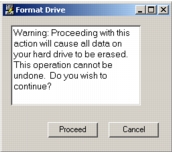
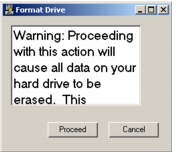
But notice what happens when you port your application to a platform that uses a larger system font:
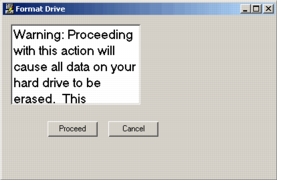
Another problem can arise if a user re-sizes a dialog box and the dialog box does not reposition the controls:
In addition, last-minute changes to a dialog box can spoil a previously elegant design:
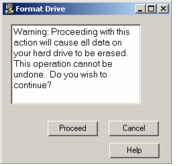
The Container Editor includes tools that allow you to size and position the UI controls within your dialog box. These tools can make your dialog boxes more robust and elegant.