Code Blocks Menu Operations
This section contains descriptions and procedures for using the operations available from the Code Blocks menu in the Process Editor. The items that appear on this menu are listed below in alphabetical order:
Note: Changes to code blocks are not saved until you select File > Save.
Diagnostic Block
This operation presents a dialog box that allows the diagnostic block to be defined for a process model. The diagnostic block contains C or C++ language statements that send diagnostic information to the standard output device. Often, this is done by making calls to the standard I/O function printf() or to Riverbed KPs that print messages. Statements in the diagnostic block have full access to the process's state variables, but not the temporary variables. Diagnostic statements can thus generate a report of the process's internal state.
The diagnostic block procedure is called by the Simulation Kernel via the Simulation Debugger (ODB). ODB is accessed by running a simulation with the -debug command line flag, and is described in "Simulation Debugger (ODB)" on page 39.
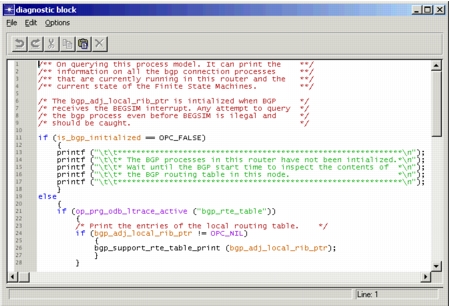
The diagnostic block dialog box supports the addition, deletion, or modification of C or C++ language statements. A typical diagnostic block editing pad is shown in the following figure.
Figure 200: Diagnostic Block Edit Pad
Function Block
This operation presents a dialog box that allows a function block to be defined for a process. The function block contains C or C++ language functions that are associated with the process, and that can be called by any of the statements in the process, including statements associated with states, transitions, and other blocks.
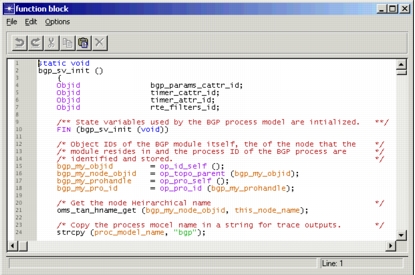
The function block supports the addition, deletion, or modification of any number of C or C++ language functions. A typical function block dialog box is shown in the following figure.
Figure 201: Function Block Edit Pad
Header Block
This operation presents a dialog box that allows you to define a header block for the current process. The header block in process model definitions usually contains one or more of the following elements:
OPC_COMPILE_CPP(optional token denoting the use of C++)#includedirectives (for inclusion of C or C++ header files)#definedirectives (for constants and macros)structdata type definitionstypedefdata type definitionsclassdefinitions (for use with C++)- extern variable declarations
- global variable declarations
- comments
The header block is primarily useful for declaring the symbolic constants, macros, and data types that will be referenced within the process model executive and conditional statements.
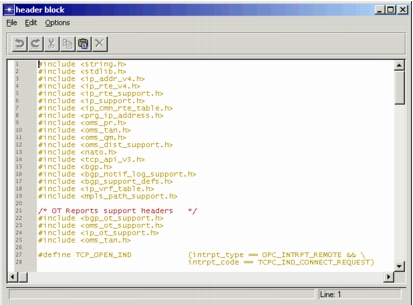
The header block supports the addition, deletion, or modification of declarations and preprocessor directives. A typical header block dialog box is shown below.
Figure 202: Header Block Edit Pad
If the process model is to be compiled as C++, the token OPC_COMPILE_CPP might be included in the header file. If so, the line containing this token will not appear in the generated code. (Normally, C++ compilation is indicated via the Compile > Enable C++ Code Generation option.)
State Variables
This operation presents a table in which you can declare state variables for the process. State variables are those variables that retain their value from one process invocation to the next. They are distinct from temporary variables (described in Temporary Variables), which retain their values only during the span of a single process model invocation. For a more detailed description of state variables, including naming restrictions, see "State Variables" on page 195.
Figure 203: State Variables Table
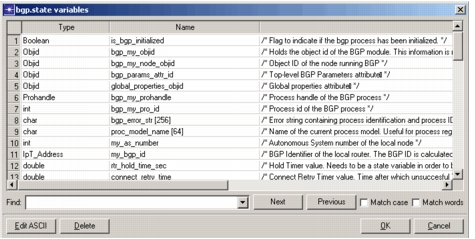
To sort the state variables table by type or name, click in a heading cell. Repeated clicks toggle the sort order. To find a text string in the table, enter the string in the field below the Name column and click the Find Next button.
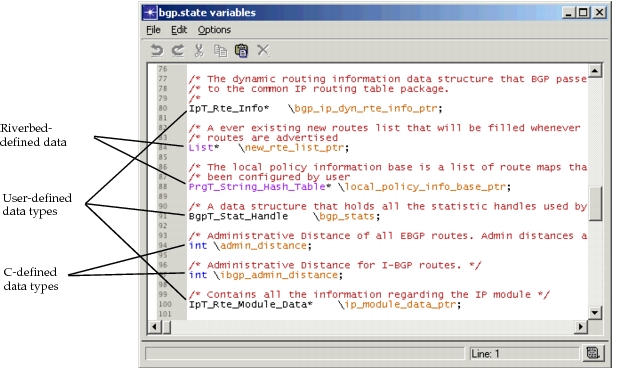
The Edit Ascii button opens an edit pad containing state variables in the variable declaration syntax of the C or C++ language. In the edit pad, you can add, delete, or modify state variable declarations. However, note that each state variable declaration must be contained on a single line of the state variable editing pad. Also, the name of each state variable must be immediately preceded by a backslash character ("") , as shown in the following figure.
Figure 204: State Variable Declarations
Temporary Variables
This operation presents a dialog box that allows temporary variables to be declared for the process. Temporary variables are those variables that do not retain their value from one invocation of the process to the next. They store values only during the span of a single process invocation and are typically used as "scratch" variables. Temporary variables can be accessed only in state executives, as described in "Variables" on page 192.
Temporary variables are distinct from state variables (see State Variables), which retain their values from one process invocation to the next. When the process is resumed later in the simulation, state variables still have their previous value, whereas temporary variables do not. Temporary variables are implemented in C or C++ language as automatic variables of the process model function. They are declared according to the same rules which C and C++ apply to automatic variables.
Temporary variables can be available only in the process code or included also in the termination or diagnostic blocks. See Include Temporary Variables in Diagnostic/Termination Block for details.
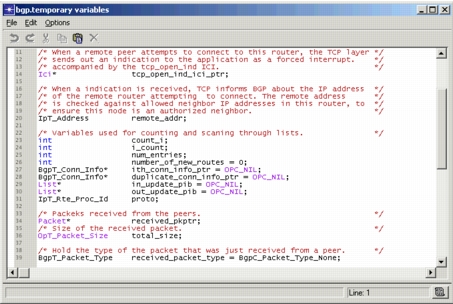
The Temporary Variables dialog box allows for the addition, modification, or deletion of temporary variable declarations. A typical Temporary Variables dialog box is shown in the following figure.
Figure 205: Temporary Variables Edit Pad
Termination Block
This operation presents an edit pad that allows you to define the termination block for a process model. The termination block contains C or C++ language statements that execute just before a dynamic process is destroyed. For example, if a dynamic process has allocated memory (such as lists), the termination block can be used to deallocate the memory before the process is destroyed. The termination block does not execute for root processes.
The termination block is invoked by the Simulation Kernel via the op_pro_destroy() Kernel Procedure, which is used to destroy dynamic processes. By terminating dynamic processes that are no longer useful, you can make memory available for other processes. For more information about this KP, see op_pro_destroy() on page 10. For more information about root and dynamic processes, see Chapter 5 "Process Domain" on page 165.