Set/Reset User Lock
The Set/Reset User Lock operation allows you to restrict file access so that models can not be easily overwritten by others. When the user lock is set, only the user who set it can overwrite the file; all other users will have read-only access. When the lock is reset, the file is unlocked and can be overwritten by other users. This operation toggles the state of the user lock between set and unset.
Files remain locked or unlocked even after a session has ended. Locked files can be overwritten by the user account that set them and therefore do not provide complete security. User locks function only as warning systems and are recommended, but not required.
If you read in a model for which the user lock has been set (by another user), the message display indicates that the file is read-only. You will not be able to overwrite the file, but can write it to disk under a different file name.
Procedure 238: Resetting the User Lock
-
If the model has not been saved, write it to disk. (User locks apply only to files on disk; if no version of the model exists on disk, an error message appears.)
-
Click the Set/Reset User Lock toolbar button.
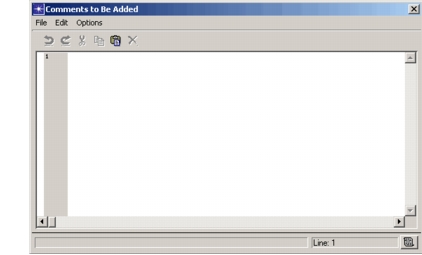
Result: If unlocked, the file for the current model is locked. The operation is confirmed in the message display. If already locked, the file for the current model is unlocked and a comments editing pad appears.
-
Optionally, add comments to the file’s comment log.
For instructions on entering and saving text, see “Text Edit Pads” on page 10.
User locks can be set and reset from the command line using the program documented in “Program Descriptions” on page 143.