Profile Editor
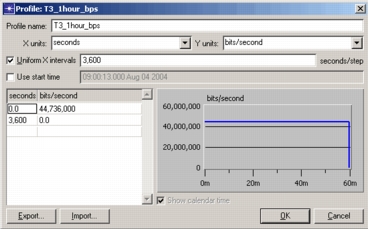
The Profile Editor appears when you choose Edit > Add Profile (to add a new profile to the current library) or when you click in the Values field of an existing profile (to edit an existing profile). You use this window to specify the x-y axes and the value pairs that make up the profile.
Figure 232: Profile Editor
For more information, see: