Edit Line Graph
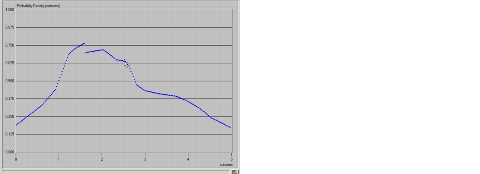
The Edit Line Graph operation is used within several editors to enter new data points on a line graph (such as an antenna pattern or a PDF curve). Graphs are specified as a series of connected linear segments. Each segment is defined by clicking on its end points. When a new line segment is drawn, any pre-existing line segments spanning the same abscissa (the same range of x-coordinates) are replaced.
Procedure 217: Drawing a Line Graph
-
Place the cursor so that the point of the arrow rests where the line graph should begin, then left-click.
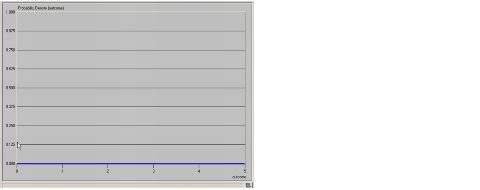
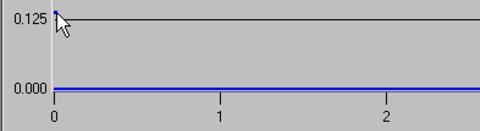
Result: The editor places a single data point to define the first vertex, as shown in this enlarged view:
-
Move the cursor so that the point of the arrow rests where the next vertex should be, then left-click.
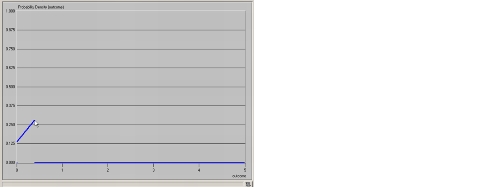
Result: The editor draws a series of data points from the previous vertex, extending up to and including the current vertex.
-
For each additional vertex, move the cursor to the appropriate location and left-click until the line graph is fully defined.
Result: For each vertex, the editor draws a series of data points from the previous vertex, extending up to and including the current vertex.
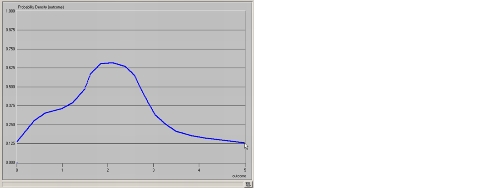
Procedure 218: Modifying a Line Graph
-
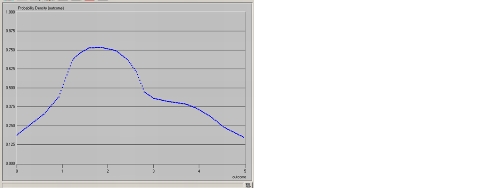
If the graph you wish to change is not already displayed, read it using the File > Open… operation.
Result: The graph appears. For example:
-
To establish the first vertex in the new line segment:
2.1 Move the cursor inside the border of the graph.
2.2 Put the point of the arrow where the new line segment should begin.
2.3 Left-click the mouse.
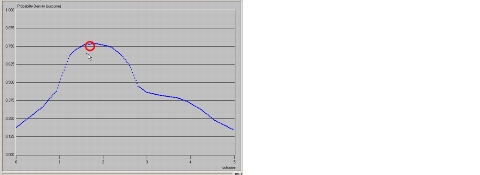
Result: The editor draws a single data point at this vertex. It also erases any other data point at the same abscissa (x-coordinate). The erased data point is shown circled in the illustration below:
-
Move the cursor to the next desired vertex of the modified line graph and left-click.
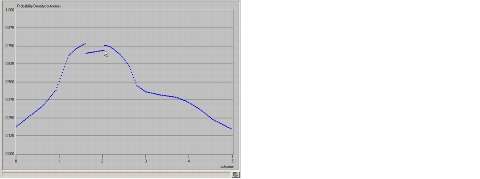
Result: The editor draws a series of data points from the previous vertex, extending up to and including the current vertex. It also erases any other data points at the affected abscissas (x-coordinates).
-
For each additional vertex you want to change, move the cursor to the appropriate location and left-click.
Result: In each case, the editor draws the new line segment, and erases any other data points at the same abscissas (x-coordinates).