Configuring Inventory Reports for Automation
Note: Automation is not available in Riverbed Modeler.
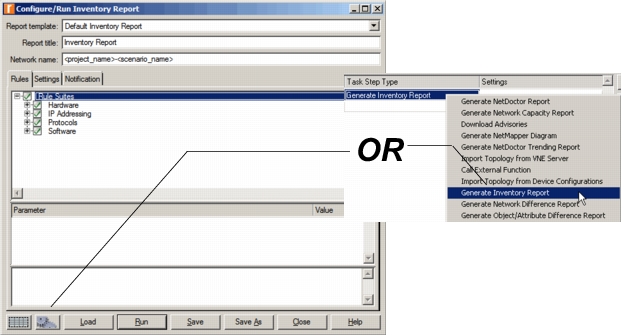
You can configure an automation step to include running an Inventory report. Use the “gears” icon in the lower left corner of the Inventory Configure/Run Inventory Report Dialog box or you can select the Generate Inventory Report step to configure, as shown in the following figure.
Figure 1: Inventory Reports and Automation
Using the Load Button
After saving an automation file (.af), you can use the Load button to retrieve the settings from any saved automation file for subsequent configurations.
For more information, see: