Simulation Log Messages
Log messages are generated at the end of a simulation if the models detect problems due to configuration, protocol interaction, and so on. Some of the categories are “Call Setup”, “Call Admission”, and “Cell Loss (buffer overflow, UPC)”. The most common log messages are due to call admission failures.
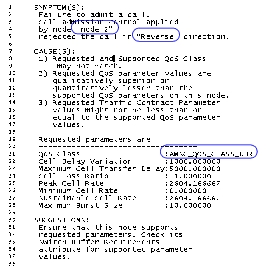
The following message is generated if, for any reason, there is a call admission failure. The message indicates the node that failed the call, the service category, the requested parameters, and the direction in which the CAC was applied. A “forward” direction refers to a port towards the destination and a “reverse” direction refers to a port towards the source.
Figure 98: Error Message Generated by a Call Admission Failure
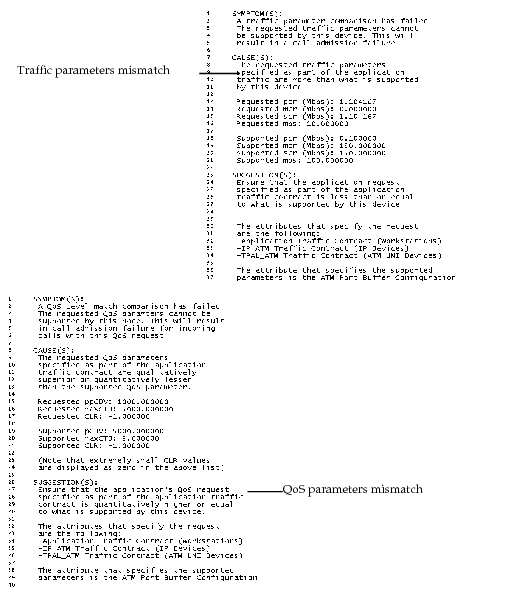
The following messages are logged if the call admission failed because a suitable buffer was not found as a result of mismatched traffic or QoS parameters. Refer to the Traffic and QoS Parameters section for the rules applied when searching for a suitable buffer.
Figure 99: Sample Error Messages Generated by Call Admission Failures
Suppose a suitable buffer has been identified on a port. If that buffer does not support the requested bandwidth, then the following message is logged.
Figure 100: Error Message Due to an Unsupported Bandwidth Request
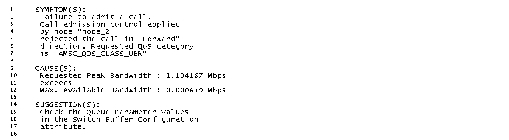
This log message in Figure 100 is sensitive to the service category and reports if the incoming request exceeded the maximum available bandwidth or minimum guaranteed bandwidth.
Log messages are also created for preferred SPVX routing.
- If a specified node name is not valid (maybe, it was spelled incorrectly in the SPVX Configuration file, or the node name entered is not an ATM switch), that entry in the preferred route list is ignored, and a message is written to the simulation log.
- If the port number specified is not valid (for example, if there is no route to the destination given that port number), the default port is used, and a message is written to the simulation log.