Node Models: ATM
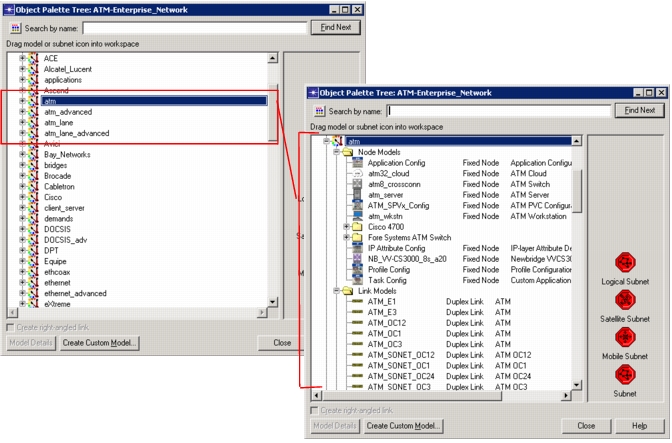
The ATM model suite contains several client and server node models, which can be subdivided into the following categories: workstations and servers, intermediate switching elements (such as clouds and switches), uni-clients and uni-servers, uni-sources and uni-destinations. Additionally, IP routers may have ATM UNI interfaces at which ATM connections can originate or terminate. The ATM nodes can be found in the object palettes, as shown in Figure 75, with an “atm” prefix: atm, atm_advanced, atm_lane, and atm_lane_advanced.
Figure 75: ATM Object Palette
The table below can be used as a starting point for deciding which ATM nodes to use.
Table 18: Important ATM Node Models
| To Model… | Use this Node Model |
|---|---|
| Applications running over IP over ATM | atm_wkstn |
| Applications running over IP on an Ethernet LAN over ATM | ethlane_wkstn |
| Applications running over IP on a Token Ring LAN over ATM | trlane_wkstn |
| Applications that run directly over ATM | atm_uni_client |
| A general traffic source (not applications) running over ATM | atm_uni_src |
| A utility node that contains many of the settings used in simulations. | ATM_SPVx_Config |
The main features of the various types of ATM node models are described below. For additional information on specific node models, right-click on the node in the project workspace and select View Node Description from the pop-up menu. For more information on the traffic-generating nodes, refer to Traffic Modeling.