Capacity Planning
Routed Demands
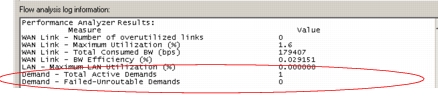
After you run a flow analysis, you can view the flow analysis summary report that lists the number of routable and unroutable demands.
Figure 237: Flow Analysis Summary Report
Link Utilization
To see the current load in the network, you can view individual link statistics or you can use the View Top Results feature. The View Top Results feature displays the top results for flow analysis and discrete event simulations. It is accessed through the Flow Analysis menu: Flow Analysis > Results > Find Top Statistics or through the DES menu: DES > Results > Find Top Statistics…
Figure 238: Find Top Results

Capacity Planning Module
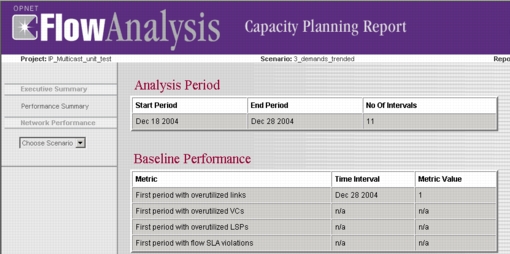
The Capacity Planning module of Flow Analysis lets you extend your analysis to cover future time periods so that you can see how the network will perform over time.The capacity planning feature includes several reports that summarize the performance of the network. For more information about the Capacity Planning module, see the Flow Analysis User Guide.
Figure 239: A Capacity Planning Report
For more information about conducting network capacity planning studies, see “Conducting Network Capacity Planning Studies”.