Network Impact on Application Statistics
Available Statistics
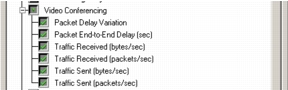
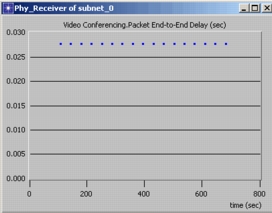
Application statistics (such as application delay, delay variation, application traffic sent and received) can be collected after running a discrete event simulation.
Figure 236: Application Statistic Results
Supported Applications
The following applications support multicast.
- Voice
- Video
- FTP
- Database
Note: All applications are supported over UDP only.
Configuring Multicast Applications
Configure IP multicast applications as you would any standard network application, but observe the following:
- On the sender nodes, specify the multicast group address in the Application: Destination Preferences attribute. This attribute lets you specify the application, the symbolic name of the multicast destination, and the IP group address to which the name should be mapped.
- All multicast applications must use the UDP transport protocol. This is the default setting for the Voice and Video Conferencing applications. When multicasting the Custom Application, FTP or Database applications, set the Application: Transport Protocol Specification > Ftp/Database/Custom Application > Transport attribute to UDP on all end nodes (senders and receivers).
- For custom applications, note the following:
- Only one-way transfer is supported (from the source node to the multicast receivers)
- For accurate response time statistics, make sure that the phases end when the final request leaves the source
- Phases cannot start at IP multicast addresses
Refer to "Applications" for additional information on configuring applications.
To receive traffic for a multicast group, a node must first join that group. A node can belong to several groups and receive traffic from all groups it belongs to. When joining a group, a node specifies the type of application traffic that it wants to receive from that group. To receive more than one type of application traffic from a group, a node should join the group for each application.
Use Procedure 56 to configure an application to join a multicast group.
Note: You must use the advanced node models when configuring multicast groups.