Reports
In addition to the reports covered in Available Reports, the following reports and statistics are available for all MPLS studies.
DES Statistics
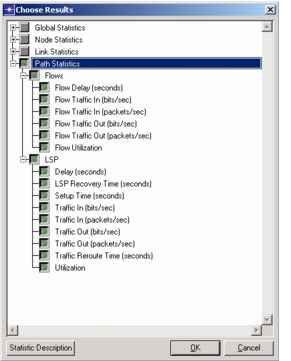
The following statistics are available for collection when running discrete event simulations.
Figure 407: MPLS Related Statistics
Flow Analysis Reports
Note: Flow analysis is not available with Riverbed Modeler.
The following reports are available when running a flow analysis for MPLS networks.
Configuration reports:
- LSP Bypass Tunnel Parameters
- LSP Configuration
- LSP Fast Reroute Parameters
- LSR Configuration
Performance reports:
- LSP Bypass Tunnel Usage
- LSP Rerouting
- LSP Routes
- LSP Utilization
- LSR Usage
- P2MP LSPs
Object tables
<router name>> IPv4 Multicast Forwarding Table<p2mp lsp name>> Performance.Link Usage- One such report per P2MP LSP; no individual reports for branch LSPs
<p2mp lsp name>> Performance.Link Peak Usage- One such report per P2MP LSP; no individual reports for branch LSPs
If P2MP configurations are present in the network, a column, “P2MP LSP”, has been added to the following reports per-branch LSP:
- Performance > LSP Routes
- Performance > LSR Usage
- Configuration > LSP Configuration
- Performance > LSP Utilization
- P2MP branch LSPs appear as a single entry
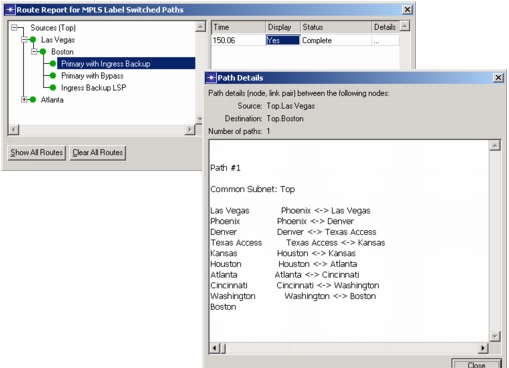
Display LSP Routes
You can use the Display LSP Routes feature to show the routes of LSPs in the Project Editor. This feature is available through the Protocols menu (Protocols > MPLS > Display LSP Routes) or by pressing Ctrl+Shift+L.
Figure 408: Displaying LSP Routes