报告
除可用报告中介绍的报告外,所有 MPLS 研究还提供以下报告和统计量。
DES 统计量
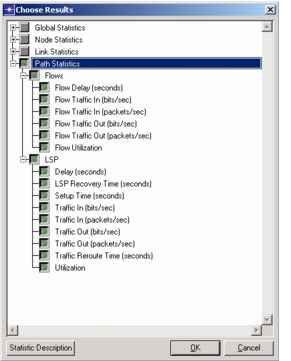
运行离散事件仿真时,可以采集以下统计量。
图 407:MPLS 相关统计量
Flow Analysis 报告
注: Riverbed Modeler 不提供 Flow analysis(流量分析)。
对 MPLS 网络运行流量分析时,可提供以下报告。
配置报告:
- LSP Bypass Tunnel Parameters
- LSP Configuration
- LSP Fast Reroute Parameters
- LSR Configuration
性能报告:
- LSP Bypass Tunnel Usage
- LSP Rerouting
- LSP Routes
- LSP Utilization
- LSR Usage
- P2MP LSPs
对象表
<router name>> IPv4 Multicast Forwarding Table<p2mp lsp name>> Performance.Link Usage- 每个 P2MP LSP 对应一份这样的报告;分支 LSP 没有单独的报告
<p2mp lsp name>> Performance.Link Peak Usage- 每个 P2MP LSP 对应一份这样的报告;分支 LSP 没有单独的报告
如果网络中存在 P2MP 配置,则以下逐分支 LSP 报告中新增了“P2MP LSP”一列:
- Performance > LSP Routes
- Performance > LSR Usage
- Configuration > LSP Configuration
- Performance > LSP Utilization
- P2MP 分支 LSP 显示为单条记录
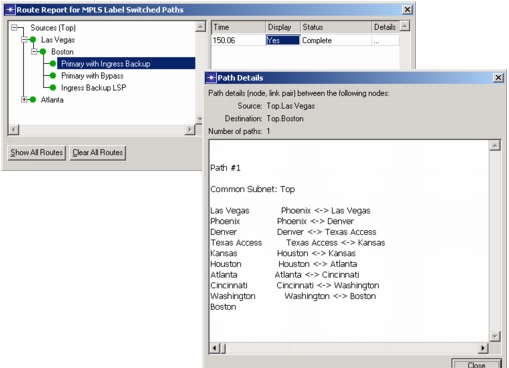
显示 LSP 路由
你可以使用 Display LSP Routes 功能在 Project Editor 中显示 LSP 的路由。该功能可通过 Protocols 菜单(Protocols > MPLS > Display LSP Routes)访问,也可按 Ctrl+Shift+L 触发。
图 408:显示 LSP 路由