Viewing Fire and Detonation Graphics
If fire and detonation graphics are enabled, when an entity fires a munition, a line is drawn between the entity and the location of the detonation. The line is colored blue, red, or green for the force of the shooter (Figure 67).
Figure 67: Fire line and detonation
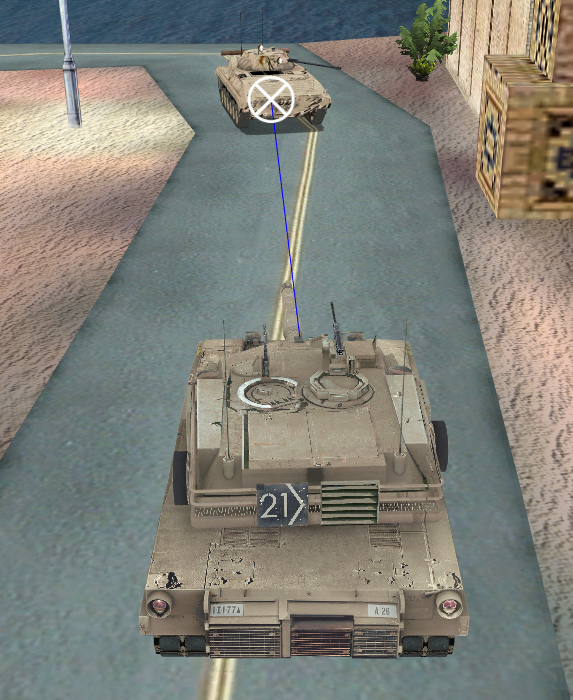
A detonation is identified by a circle with an X through it. The detonation color indicates the result of the detonation, as follows:
- Entity impact – white
- Ground impact – gray
- Airburst – black
- Other – white
To enable or disable display of fire and detonation graphics, choose Settings > Fire / Detonate Lines or click the Fire/Detonate Lines icon ( ) on the Display Settings Toolbar.