Displaying Track Histories
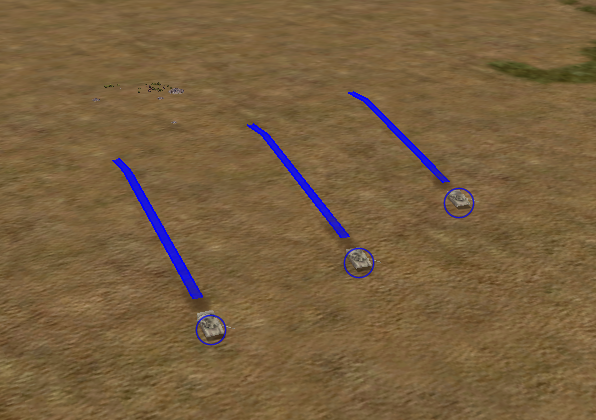
Track histories allow you to track the paths of entities during an exercise, including the path of munitions as they travel from the shooter to the target. When track histories are enabled, each entity leaves a track ribbon. The ribbon is colored based on the entity’s force. Figure 66 illustrates a track history.
Track histories are a property of an observer mode. You can enable and disable them on a per-observer basis.
Figure 66: Track history
Procedure 76: Enabling or Disabling Display of all Track Histories
- Choose Settings > Display. The Display Settings dialog box opens.
- Select the Observer Settings page (Figure 65).
- Select the observer mode for which you want to change the Track Histories setting.
- Select or clear the Track Histories checkbox.
Note: You can also enable or disable track histories by choosing Observer > Track Histories. or clicking the Track Histories icon (
) on the Observer Settings Toolbar.