Selecting Entities
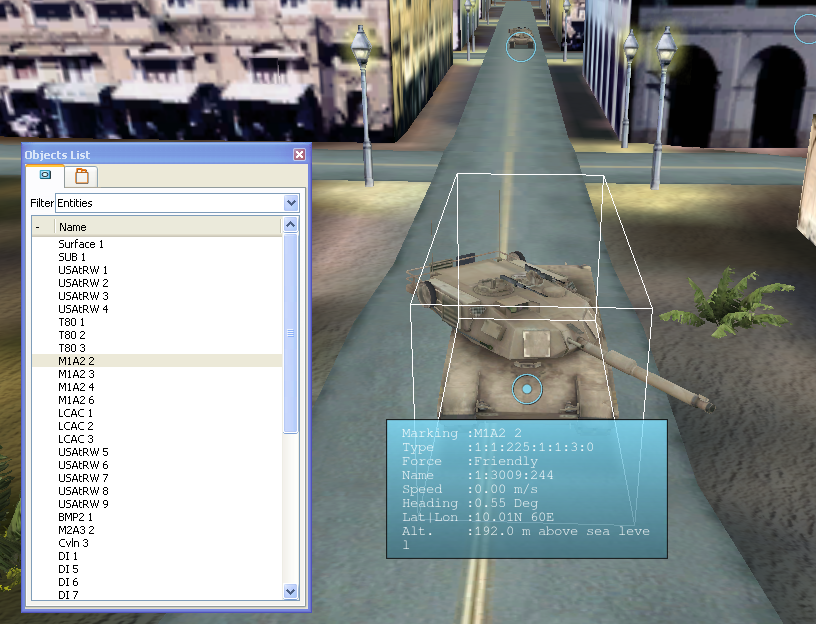
Many procedures require you to select one or more entities. When an entity is selected, a box is drawn around it (Figure 57) and it is highlighted in the Objects List Panel.
Figure 57: Selected entity
To select an entity, click it in the window, or select it in the Objects List Panel.
For multiple selection, standard conventions for Shift-click and Ctrl-click apply.