Specifying the Boresight and Rotation Handle of an Antenna Pattern
Antenna patterns that are not symmetric need to be oriented in space when they are used on an antenna. Antenna pattern models define one or two reference directions that allow the orientation to be specified by an antenna module. These reference directions are boresight and rotation handle (see “Antenna Pattern” on page 58 for a description of how the reference directions are used).
Procedure 35: Setting the Reference Directions of an Antenna Pattern
-
If necessary, open the antenna pattern in the Antenna Pattern Editor.
-
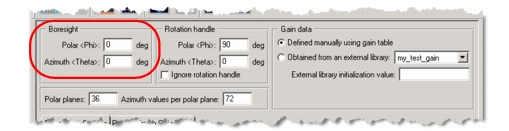
To set the boresight, modify the Boresight Polar and Azimuth angles.
Azimuth angles are measured in the x-y plane, with 0° aligned with the positive x axis and 90° aligned with the positive y axis. Polar angles are measured perpendicular to the x-y plane, with 0° aligned with the positive z axis.
-
To set the rotation handle:
- Unselect the “Ignore rotation handle” checkbox.
- Modify the Rotation handle Polar and Azimuth angles.
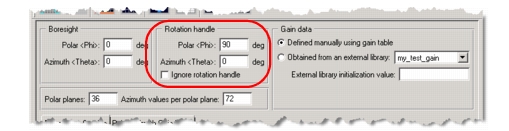
Note: The rotation handle cannot be colinear with the boresight.
Note: A rotation handle is not needed for patterns that are symmetric around the boresight; for such patterns, select the “Ignore rotation handle” checkbox.