Displaying Models and Terrain in Wireframe Mode
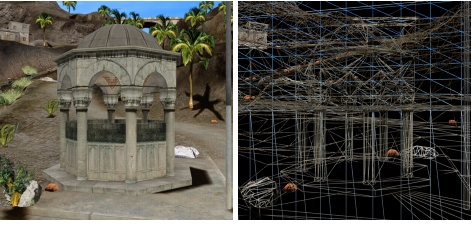
In wireframe mode, 3D Network Visualizer displays the polygons that make up the terrain and objects (Figure 83).
Figure 83: Wireframe off and on
Procedure 59: Enabling or Disabling Wireframe Mode
-
Choose Settings > Display. The Display Settings dialog box opens.
-
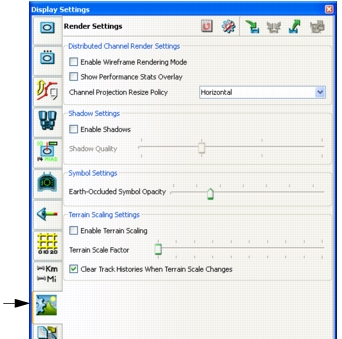
Select the Render Settings page (Figure 84).
Figure 84: Render Settings page
-
Select the Enable Wireframe Rendering Mode checkbox.
Note: You can also enable and disable wireframe mode by choosing Settings > Wireframe Rendering or clicking the Wireframe Rendering icon (
 ) on the Display Settings toolbar.