工具栏按钮
Icon Database Editor 提供了用于常用操作的工具栏按钮。
图 241:工具栏按钮(Icon Database Editor)
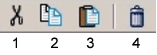
下表列出了每个工具栏按钮的名称——将光标停留在按钮上时,该名称会作为工具提示显示——以及与之等效的菜单命令。要配置工具栏按钮,参见"Configuring the Toolbar"(第 7 页)。
表 137:工具栏按钮(Icon Database Editor)
| 按钮 | 工具栏中的名称 | 等效菜单命令 |
|---|---|---|
| 1 | Cut Selected Icon to the Clipboard | Edit > Cut Icon |
| 2 | Copy Selected Icon to the Clipboard | Edit > Copy Icon |
| 3 | Paste Icons from the Clipboard | Edit > Paste Icon |
| 4 | Delete Selected Icons | Edit > Delete Icon |