SDN Object Palette
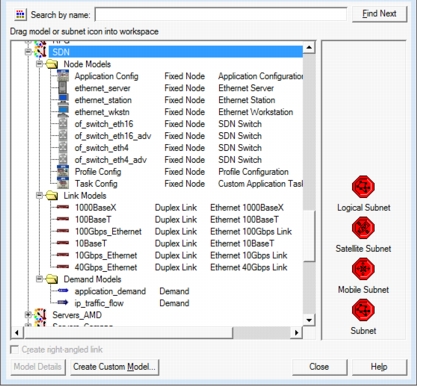
SDN models are included in the SDN object palette, shown below.
of_switch_eth16of_switch_eth16_advof_switch_eth4of_switch_eth4_adv
The SDN object palette includes other node, link, and demand models that are useful in configuring your SDN scenario in the Project Editor.
Figure 471: SDN Object Palette
Creating Custom SDN Node Models
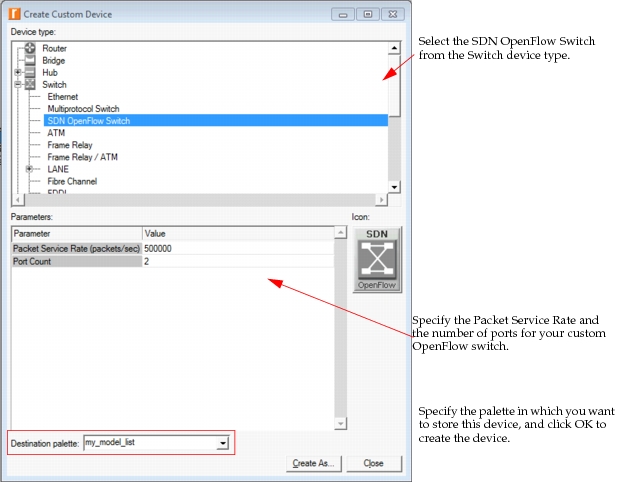
In addition to using the predefined node models included in the SDN object palette, you may create custom SDN switches. To create a custom model, either click the "Create Custom Model..." button in the Object Palette (shown in Figure 471) or choose Topology > Device Creator > Create Custom Device Model... from the menu. The Create Custom Device dialog box opens, as shown below.
Figure 472: Creating a Custom SDN Switch Node