Editing Workspace
The editing workspace contains three panes that enable you to identify jobs and the elements that make up jobs (processes and threads) so you can organize the data for export into a model:
Jobs
The Jobs pane lists all the jobs that were imported or created for the current server characterization model. Only one server characterization model can be in the editor at a time.
Figure 3: Jobs Pane
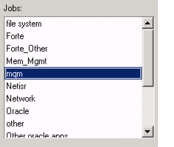
Jobs consist of processes and threads; each process/thread that is imported into Server Characterization Editor is unique—it can be allocated to one job only. You use the large up and down arrows in the main window to move processes and threads between the Job Processes/Threads pane and the Unallocated Processes/Threads pane.
Note: A process/thread can be in the Job Processes/Threads pane or the Unallocated Processes/Threads pane, but not in both.
Job Processes/Threads
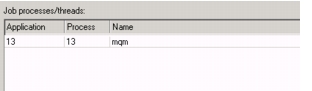
The Job processes/Threads pane lists the processes/threads that are allocated to the job that is selected (highlighted) in the Jobs pane. For each Process/Thread, the entry contains data such as the Job ID, User ID, Group ID, Process ID, Parent ID, and Name. This information varies according to the data collector that was used. You can sort the data in this pane by clicking on the heading of any column.
Figure 4: Data Entries—Detail
Unallocated Processes/Threads
The Unallocated Processes/Threads pane lists all the processes/threads that are available to be allocated to a job. You edit jobs by selecting and moving the processes/threads between the Unallocated Processes/Threads pane and the Job Processes/Threads pane. You can sort the unallocated processes/threads by clicking on the heading of any column.
Unallocated processes/threads are available for use in any job defined in the server characterization model. Unallocated processes/threads are not part of the model unless they get allocated to a job. Therefore, data that stays in the Unallocated Processes/Threads pane is not exported with the model.