Server Characterization Editor Main Window
The main window of Server Characterization Editor gives you access to all the editing commands and supplementary dialog boxes you need to import, edit, and export server data.
Figure 2: Server Characterization Editor—Main Window
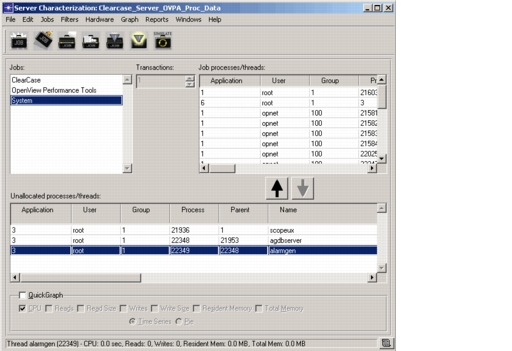
The main window has the following elements:
- Server Characterization Editor Menus
- Server Characterization Editor Toolbar Buttons
- Editing Workspace
- Jobs pane
- Job Processes/Threads pane
- Unallocated Processes/Threads pane
- QuickGraphs area
- Status bar statistics