Viewing Orbit Information
The Orbit Viewer can display orbit attributes and satellite coordinates.
Procedure 27: Viewing the Attributes for an Orbit
-
Right-click the satellite following the orbit.
The orbit attribute dialog box appears.
Figure 55: Attribute Dialog Box for an Orbit
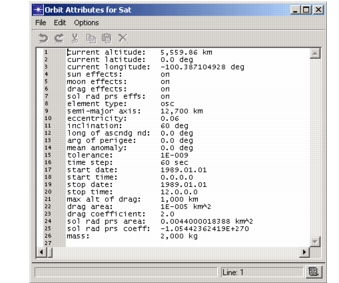
These attributes cannot be edited in op_vuorb. To change them, create and import a new orbit with the desired attributes.
Procedure 28: Viewing the Satellite Coordinates
-
Left-click the satellite following the orbit.
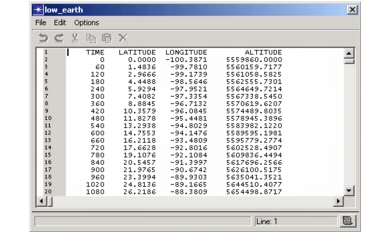
The satellite’s coordinates (at a sampling interval that is built into the satellite’s orbit file) display in a text edit pad.
Figure 56: Coordinates for a Satellite