Server Characterization Editor Workflow
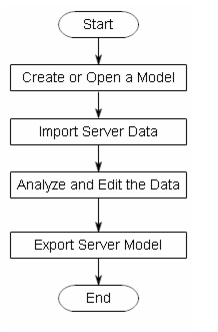
Server Characterization Editor enables you to import and edit server data so you can create a new server characterization model or modify an existing model. The workflow is shown in the following figure.
Figure 1: Server Characterization Editor—Workflow
Inputs
You import data into Server Characterization Editor from a data collector tool, a previously defined server characterization model, another database, or a combination of those sources.
For more information, see "Importing Data into Server Characterization Editor".
Editing Jobs
In the editor, you define workloads (jobs) using the processes and threads that were imported in the server data. You can allocate processes/threads to existing jobs or new jobs, and you can deallocate processes/threads from existing jobs. You can merge and separate data to customize server workloads.
For more information, see "Editing Jobs".
Outputs
You can export the edited results into server models to simulate the workloads in a network environment. You can also export the data in .csv format to view the results in a spreadsheet.
For more information, see "Exporting Data from Server Characterization Editor".