Filtering VR-Forces Messages
If you are recording a simulation that includes messages sent by VR-Forces, MÄK's computer generated forces product, you should filter out the internal messages that VR-Forces sends between the VR-Forces GUI and simulation engine. These messages are meaningless for playback by the Logger. Filtering is enabled by default for both recording and playback.
Note: Filtering of VR-Forces messages is enabled by default. Changing the default message ID range is not recommended unless you have specific instructions from MÄK or a local developer who has changed the range of message IDs used by a customized version of VR-Forces.
Procedure 176: Filtering Out VR-Forces Messages
-
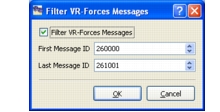
Choose Filter > VR-Forces Messages. The Filter VR-Forces Messages dialog box opens (Figure 149).
Figure 149: Filter VR-Forces Messages dialog box
-
Select the filter VR-Forces Messages check box.
-
Specify the range of message IDs to filter out.
-
Click OK.
Figure 150: Object statistics
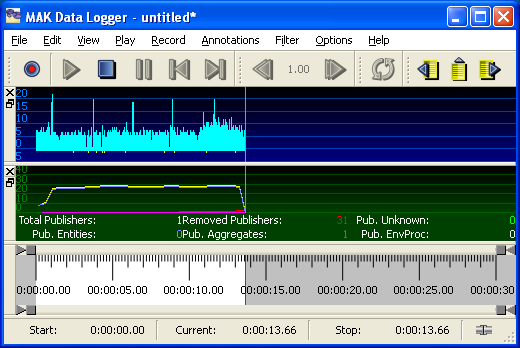
To view or hide object statistics, choose View > Object Statistics.