Filtering by Object Name
In HLA, Logger filters by the object name.
Note: To filter by object name, Logger files must be in the current Logger format. When you open a Logger file, if you are prompted to upgrade the format, you must do so to use this feature.
Procedure 174: Filtering Messages by Object Name
-
Open a Logger file.
-
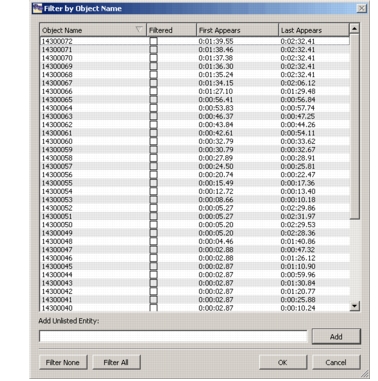
Choose Filter > By Object Name. The Filter by Object Name dialog box opens. (This dialog box is similar to the Filter by Entity ID dialog box shown in Figure 147.)
Figure 147: Filter by Object Name dialog box
-
To filter individual entities, select the check box in the Filtered column.
-
To filter all entities, click Filter All.
-
To filter no entities, click Filter None.
-
To add an entity to the list:
-
In the Add Unlisted Entity box, type an entity ID that you want to filter.
-
Click Add. The entity ID is added to the list.
-
Click OK.