Using RSVP Statistics to Debug RSVP Models
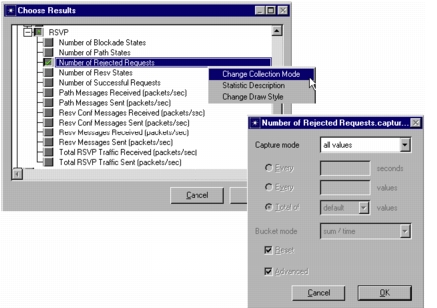
When running a simulation and collecting values in a default mode, you will be taking average values over some time period. However, when you debugging your model, you may prefer to see all values as they were collected. This is what is called collecting statistics in “All Values” mode.
Procedure 106: Changing the Collection Mode
- Select statistics whose collection mode will be changed.
- Point cursor on the statistics, and select “Change Collection Mode”.
- Change collection mode to “All values”.
- Run the simulation.
End of Procedure 106
See the documentation for detailed information on collecting statistics using different collection modes.
Figure 467: Collecting Statistics in All Values Mode