Configuring Network Read Time
You can specify how much time to spend reading messages from the network. Setting a maximum time can prevent the Logger from becoming unresponsive when it is flooded with messages. The options for Network Settings are as follows:
- Read All Messages. When selected, during each tick the Logger reads all messages in the queue.
- Max Read Time. Specifies the maximum time to spend reading messages each tick.
- Min Read Time. Specifies the minimum amount of time to spend reading messages each tick.
Note: Max Read Time and Min Read Time are not available when Read All Messages is selected.
Procedure 145: Configuring network read settings
-
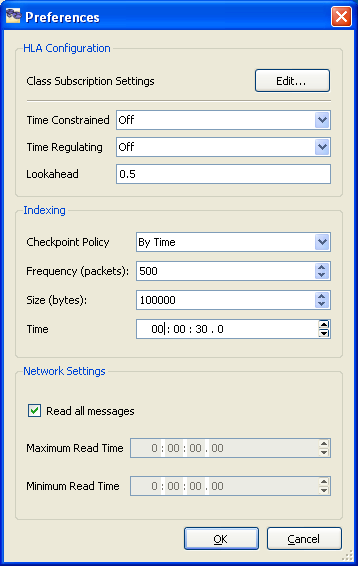
Choose Options > Preferences. The Preferences dialog box opens (Figure 129).
Figure 129: Preferences dialog box
-
To read all messages in each tick, select Read All Messages.
-
To specify the maximum amount of time to read messages, clear Read All Messages and type a value for Max Read Time.
-
To specify the minimum amount of time to read messages, clear Read All Messages and type a value for Min Read Time.
-
Click OK.