Debugging EIGRP Models
The following resources are available for debugging purposes.
Traces
The model defines the following traces to support selective observation of model behavior during simulation.
Table 42: EIGRP Traces
| Use this trace... | To... |
|---|---|
eigrp_hello |
Print information each time EIGRP sends or receives a hello message. |
eigrp_msg |
Print information about a message and its contents each time a node sends or receives an EIGRP message. |
eigrp_convergence |
Print relevant information in each of the following cases: • When sending/receiving an update, query or reply message to or from a neighbor • When convergence completes • When a network is marked as unreachable (DUAL cannot find a new feasible route) • When importing an external route |
eigrp_failure_recovery |
Obtain relevant information in each of the following cases: • When a neighbor is discovered (initial hello is received) • When a neighbor fails (no hello received during the last hold time period) • When convergence completes • When adjacent links fail or recover • When surrounding node fails or recover |
eigrp_all |
Use all EIGRP traces. This trace is the superset of the other four traces. Turning on this trace is equivalent to turning on all four traces described above. |
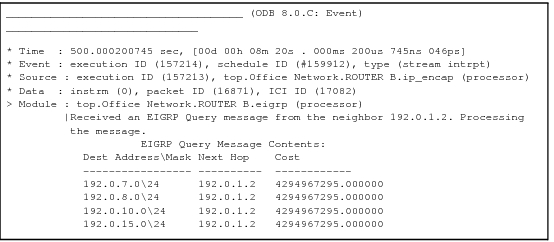
Figure 133: Sample ODB Trace Output for an EIGRP Process
Diagnostic Blocks
The following diagnostic block tables can be used to enable the display of internal information under the control of ODB commands (no trace labels are needed for these tables).
Table 43: EIGRP Diagnostic Block Information
| Diagnostic Block Table | Description |
|---|---|
| Neighbor Table | The EIGRP Neighbor Table built and used by the EIGRP process. |
| Topology Table | The EIGRP Topology Table built and used by the EIGRP process. |
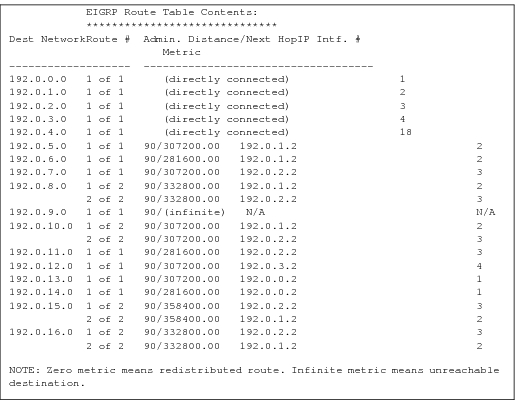
| Route Table | The EIGRP Route Table built and used by the EIGRP process. |
Figure 134: Contents of a Neighbor Table