Visualizing APS Status
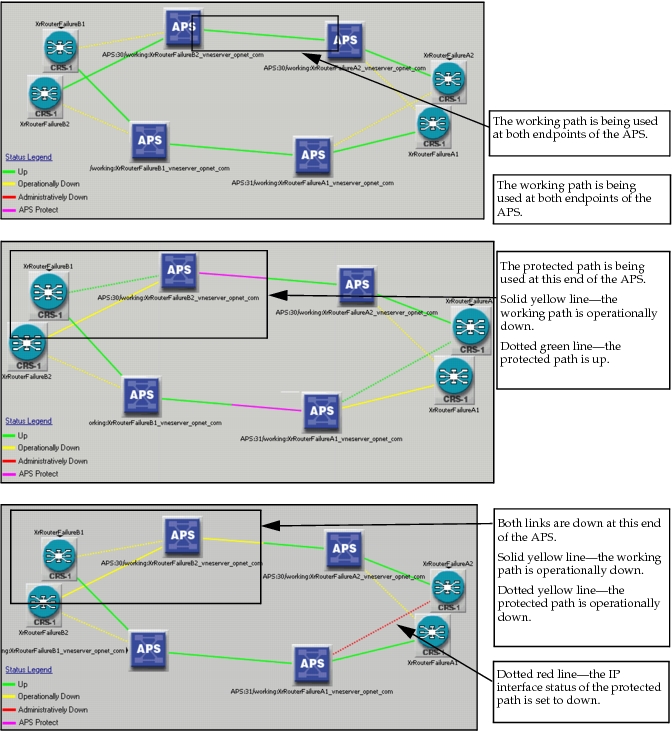
You can view the APS status of the network when you visualize the IP interface status in the workspace. To do this, choose View > Visualize Protocol Configuration > IP Interface Status.
Two types of interface status are used to determine whether an APS group is up or down:
- Administrative status—The administrative status corresponds to the value of the IP Interface Status attribute.
- Operational status—The operational status corresponds to the value of the Operational Status attribute. Links that are marked as failed in the workspace are operationally down.
The following figure shows what the APS status looks like in the workspace for different scenarios.
Figure 74: Visualizing APS Status in the Workspace