检查配置

组播流量

要查看已配置的组播流量,打开 Traffic Center(Traffic > Open Traffic Center)。

图 245:在 Traffic Center 中查看组播流量
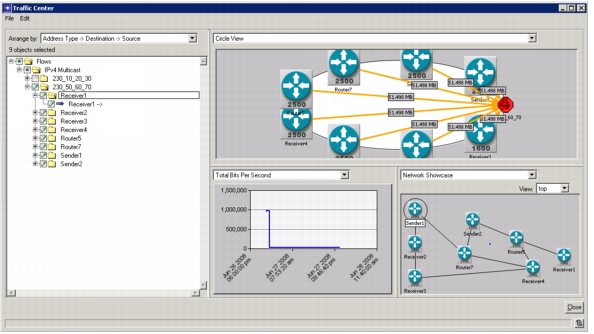
在 Traffic Center 中查看组播流量

组播订阅者

要查看监听组播流量的节点,运行流量分析并查看 Global Tables.Configuration.IP Multicast Groups 流量分析表。

图 246:查看组播订阅者
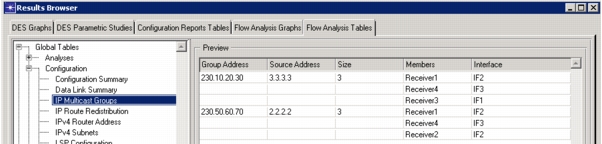
查看组播订阅者

PIM 配置

要查看运行 PIM 协议的节点及其接口,运行 Flow Analysis 并查看结果 “Flow Analysis Tables” Global Tables > Configuration > Router Config - PIM。

图 247:查看 PIM 配置
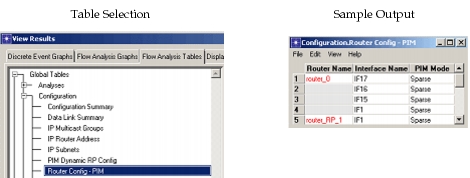
查看 PIM 配置

本站文档由 北京智网畅联科技有限公司 整理、翻译并提供 · Documentation compiled and provided by Beijing ZNetLink Technology Co., Ltd.

交流群 · QQ Group:OPNET/智网妙算网络仿真交流群(群号 486383494)

原文档 © 2017 Riverbed Technology · 本站为公益翻译,由 AI 辅助完成,请仔细甄别

Original documentation © 2017 Riverbed Technology. Community translation, AI-assisted. Contact: jiazequn@znetlink.com